What To Look For In Thermal Inspection Software For Mac

The hardware side of drone thermal inspection has moved quickly. Platforms like the DJI Mavic 3T and Matrice 4T are capable, widely available, and well supported in the field. The software side has not always kept pace.
Working with the imagery those drones produce means more than opening a thermal image. Inspectors need to analyze radiometric data, organize findings, document conditions, and generate reports that are clear enough to send to a client. If you work on a Mac, the list of serious options gets even shorter. If you are evaluating thermal inspection software for macOS, here are the questions that actually matter.
Does It Run Natively On Mac?
This sounds obvious, but it is the first question worth asking because it eliminates many options immediately. A significant portion of thermal inspection software is Windows-only. Some tools offer web-based interfaces that technically run in a browser on any platform. Others may run on Mac through virtualization or compatibility layers, but that adds setup complexity, performance overhead, and another environment to maintain.
Native macOS support means the application is built for the platform. It installs like a Mac app, follows Mac system conventions, performs well on Apple Silicon, and does not require you to run a Windows workflow alongside your inspection workflow. For inspectors who already live on Mac, that matters. The software should fit the way you actually work.
Does It Support DJI Radiometric Data Properly?
If you are flying a DJI thermal drone, this is the most important technical question on the list.
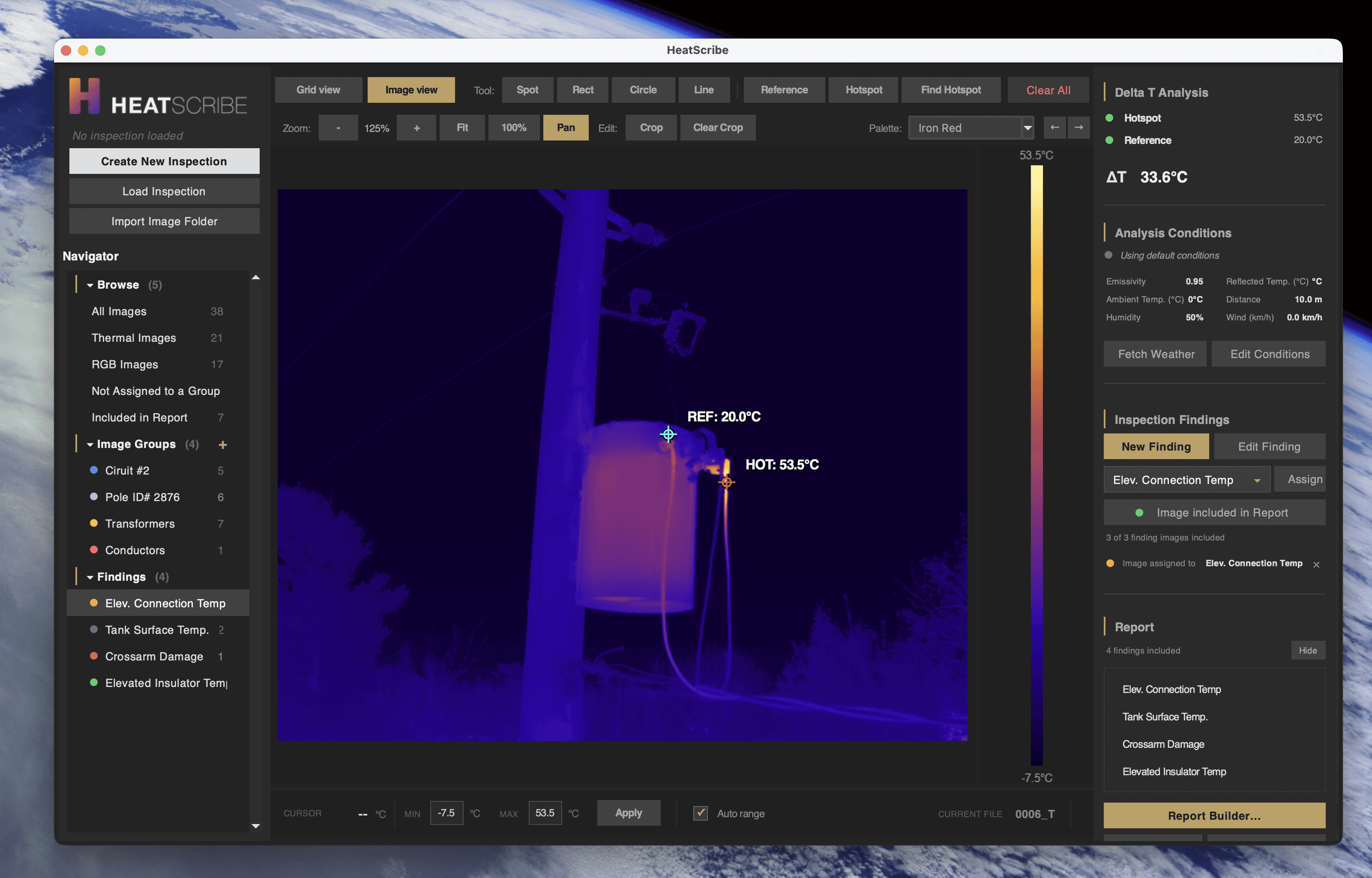
DJI thermal cameras produce radiometric JPEG files, often called RJPEGs. These files include radiometric data that can be used to calculate per-pixel temperature values when decoded correctly. Working with that data properly requires software that understands DJI’s format and applies the relevant thermal parameters.
Ask specifically whether the software supports DJI radiometric data through the official DJI Thermal SDK or an equivalent, documented decoding method. Software that does not properly decode DJI radiometric data may be limited to the embedded preview image or unreliable approximations. That distinction matters when temperature differentials affect finding priority, repair recommendations, and client deliverables. Broad camera support can be useful, but DJI support should still be verified specifically. “Supports thermal images” is not the same as “properly supports DJI radiometric inspection data.”

Does It Handle The Full Inspection Workflow, Or Just Image Viewing?
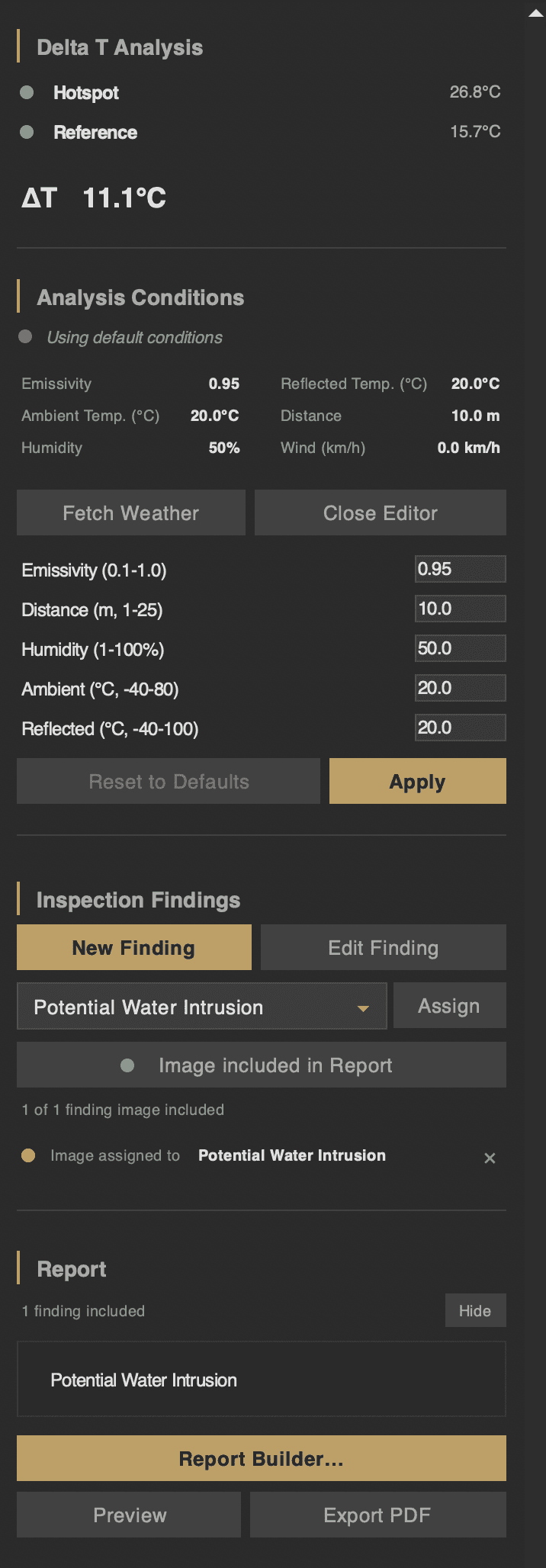
There is a meaningful difference between a thermal image viewer and thermal inspection software. A viewer lets you open an image, adjust the palette, and place a measurement. That can be useful for quick checks, but it is not the same as a professional reporting workflow. A full inspection workflow should include structured findings. You should be able to create discrete findings, assign thermal and visible images to each one, document observations, and organize the full inspection before generating a report. Findings should persist across sessions so large inspections can be completed over multiple sittings.
It should also support Delta T analysis. In many thermal inspection workflows, the temperature difference between a subject area and a reference area matters more than the absolute temperature alone. Good software should make it easy to place reference and subject measurements, calculate temperature differentials, and classify findings by priority using defined thresholds or manual judgment.
Thermal parameter control also matters. Emissivity, reflected temperature, atmospheric conditions, and distance can all affect reported temperatures. These settings should be adjustable during analysis, and measurement values should update accordingly. The software should not lock you into whatever was set in the field if later adjustment is needed.
Environmental logging is another useful workflow feature. Weather and site conditions affect thermal interpretation and belong in a professional report. Software that can record those conditions consistently saves time and reduces omissions.
Does It Generate Professional Reports Directly?
This is where many thermal tools fall short. Some applications are useful for analysis but only export images, CSV files, or raw data. The inspector then has to assemble the final report manually in a word processor, spreadsheet, or layout tool. That extra step takes time. It also creates inconsistency across reports and increases the chance of copying errors, missing images, or mismatched measurements.
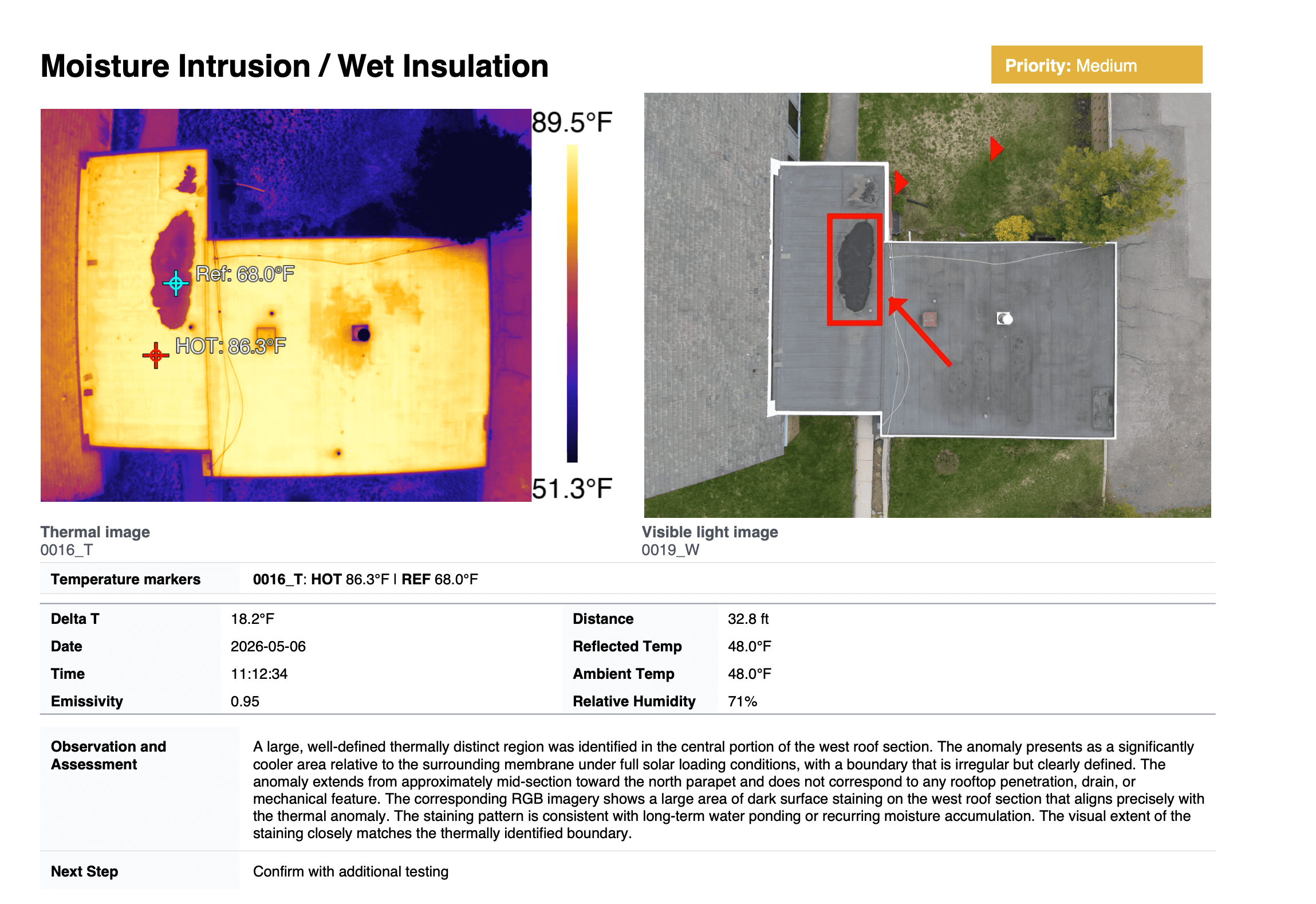
Professional thermal inspection software should generate a complete, structured PDF report directly from the inspection data. The report should include thermal and visible imagery, measurements, Delta T values, priority classifications, environmental conditions, inspector and client details, and equipment information.Ask to see a sample report. If the output does not look like something you would send directly to a client, the software is not really handling the full reporting workflow.
Is The Report Structure Appropriate For Your Inspection Type?
Different inspection types need different reporting structures. A solar inspection report is not the same as a roof moisture report. A building envelope survey is not the same as an electrical asset inspection. Each has different findings, terminology, evidence, and recommended next steps.
Software with one generic report format may technically work, but the output often feels awkward. You end up rewriting sections, adding missing fields, or forcing inspection-specific information into places it does not belong. Good thermal inspection software should support report structures suited to common inspection types, such as roofing, solar, building envelope, electrical, mechanical, or industrial inspections. If your work focuses on a specific inspection type, the software should support that workflow without requiring you to rebuild the report structure every time.
Does It Work Offline?
Thermal inspections often happen in places where internet access is limited. The core workflow should not depend on a cloud connection. Image import, radiometric analysis, findings management, and report generation should work offline. Network access can be useful for optional features like weather lookup or map integration, but it should not be required for the primary inspection workflow.
There is also a data security issue. Thermal inspection work may involve infrastructure owned by utilities, municipalities, commercial facilities, or private clients. Some organizations have data governance policies that restrict or prohibit uploading site imagery and inspection data to third-party cloud platforms. For those clients, a browser-based or cloud-dependent workflow may be a non-starter. Keeping inspection data local, on your machine and under your control, can simplify both security and client approval.
Whatever software you are evaluating, ask the vendor to state plainly which data stays on your machine, which leaves it, and under what circumstances. HeatScribe publishes its own: exactly what stays on your Mac and what gets sent to the cloud.
What Does It Cost?
Thermal inspection software pricing varies widely. Some tools are free but limited. Others are built for enterprise teams with annual licensing costs that assume a large budget and high inspection volume. For independent inspectors and small operators, the pricing model matters as much as the sticker price.
A subscription can make sense if you are using the software constantly and the value clearly exceeds the recurring cost. But monthly or annual fees can become expensive for lower-volume operators, especially when inspection volume changes seasonally. A one-time purchase model is simpler. You pay once, own the software, and know exactly what the tool costs you over time.
The real question is how much time the software saves. If it reduces manual report assembly, avoids spreadsheet-based Delta T calculations, and produces consistent client-ready reports, the value can add up quickly across even a moderate number of inspections.
Where HeatScribe Fits
HeatScribe is a native macOS application built for DJI thermal inspection and reporting.
It processes DJI radiometric imagery using the official DJI Thermal SDK, supports structured findings, Delta T analysis, thermal parameter adjustment, environmental logging, and direct PDF report generation. The core workflow runs locally and offline on Apple Silicon Macs, keeping inspection data on your machine.
If you are a Mac-based thermal inspector flying DJI equipment and you want software that handles the workflow from image import to finished report without Windows workarounds or cloud dependency, HeatScribe was built for that use case.
A buyer's guide to thermal inspection software for macOS — from DJI radiometric data support to offline capability, data security, and report generation.