What's new in HeatScribe 2.0
HeatScribe 2.0 makes it faster and easier to import, organize, review, and report on large thermal inspections.
Faster, more flexible importing
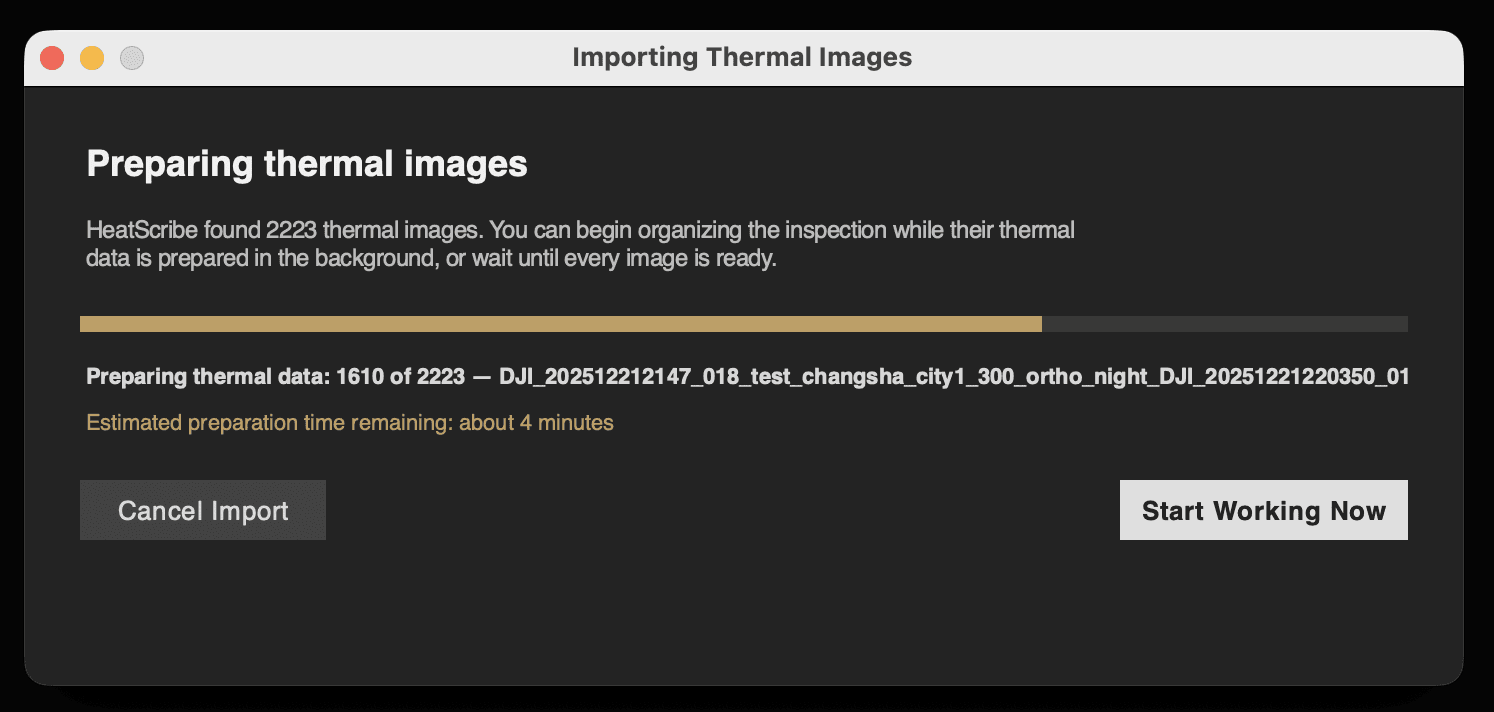
Thermal data is now prepared concurrently to reduce processing time.
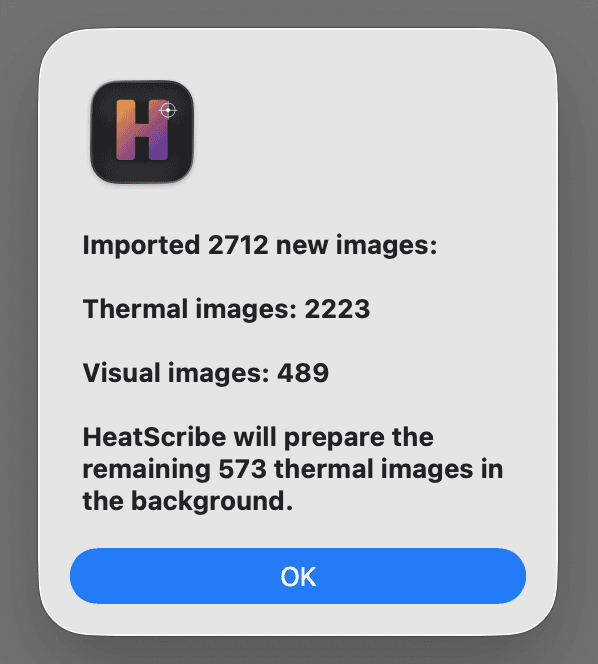
For larger inspections, you can start organizing and reviewing images while thermal preparation continues in the background. HeatScribe displays its progress, and prioritizes images as you open them.
Background preparation can be stopped and resumed without losing images that have already been prepared.
Single-image imports remain quick and simple, without unnecessary progress or confirmation windows.
Designed for large image collections
The image grid has been redesigned to remain responsive when working with hundreds or thousands of images.
Thumbnails load progressively as you browse, begin generating during import, and update automatically when processed thermal imagery becomes available.
Previous and Next buttons have also been added to the image toolbar for easier mouse-based navigation.
New inspection Navigator
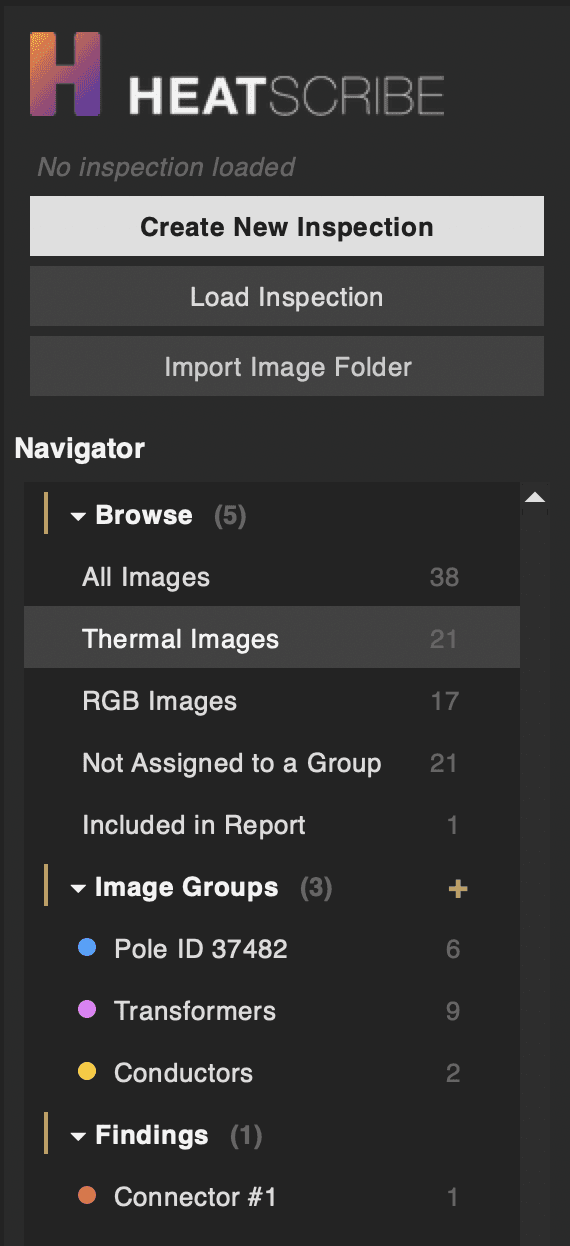
The redesigned Navigator provides quick access to:
All imported images
Thermal images
RGB images
Images not assigned to a group
Images included in the report
Inspection findings
Each view includes an image count, making it easier to understand and navigate large inspections.
Colour-coded image groups
Select related images and organize them into custom groups such as roof sections, inverter rows, buildings, or inspection areas.
You can drag individual images, or a selection of images, directly from the image grid into a group.
Each group can be named and colour-coded for faster visual identification. Groups are saved with the inspection and displayed in the Navigator alongside their image counts.
Improved findings workflow
Findings now appear in the Navigator with colour indicators matching their assigned severity.
The redesigned findings panel makes it clearer when an image has been assigned to a finding and places the relevant creation, editing, assignment, and report controls together.
Clearer Delta T analysis
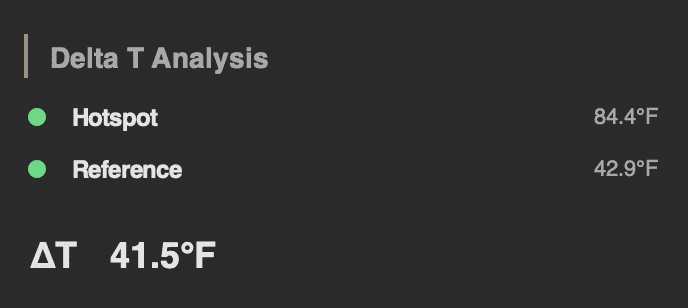
The Delta T panel now presents hotspot, reference, and calculated temperature differences in a simpler format.
Automatic severity indicators are shown only when custom Delta T priority rules have been configured, keeping ordinary manual measurements uncluttered.
Consolidated analysis conditions
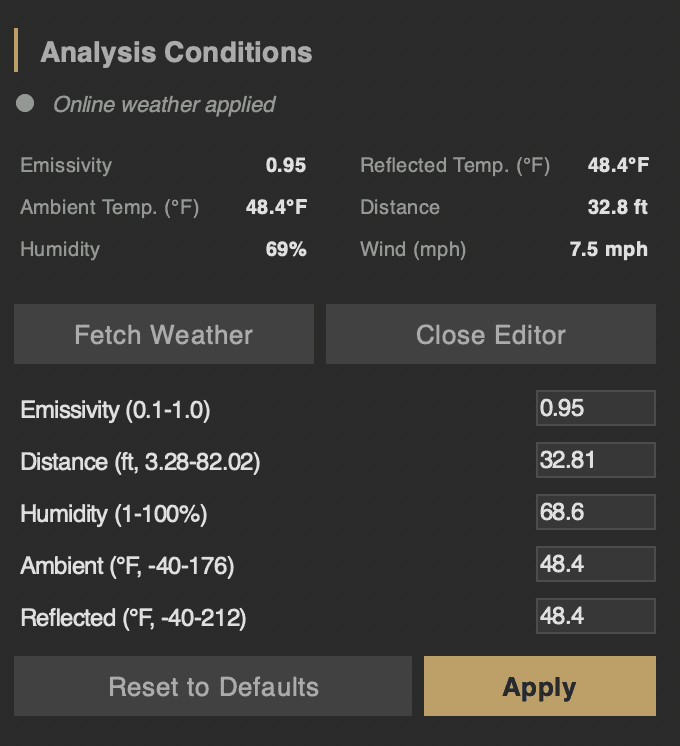
Weather information and thermal measurement parameters are now presented together under Analysis Conditions.
You can quickly review or edit:
Emissivity
Reflected temperature
Ambient temperature
Distance
Humidity
Wind speed
Online weather results are clearly identified, while per-image measurement overrides remain available when needed.
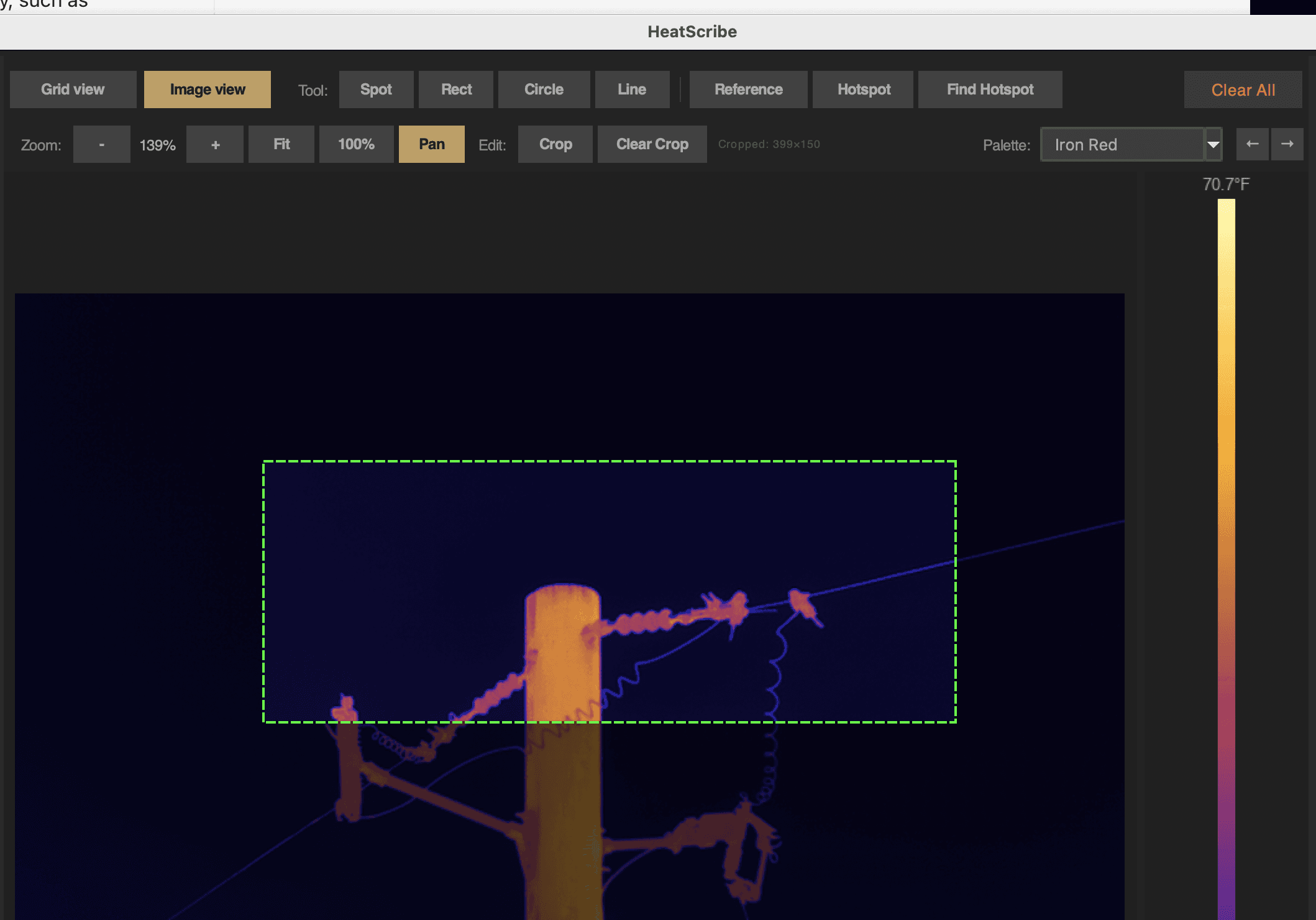
Flexible image cropping
Crop thermal or visible-light images to any rectangular shape and aspect ratio. Cropping is non-destructive, saved with the inspection, and carried through to the finished report.
Camera-aware distance validation
HeatScribe now reads the supported measurement-distance range from each DJI thermal image instead of applying the same limit to every camera.
This allows supported cameras to use their proper distance range while providing a clear warning when an entered value falls outside the range supported by the image.
Clearer import results and recovery
Import summaries now clearly separate thermal images, RGB images, duplicates, and files requiring attention.
HeatScribe also includes improved thermal-engine health checks, automatic retry handling, and more useful diagnostic information when an image cannot be processed.
Updating to HeatScribe 2.0
Quit HeatScribe.
Download the latest version using your original download link.
Drag HeatScribe into the Applications folder.
Choose Replace when macOS asks about the existing version.
Launch HeatScribe normally.
Your license, remaining trial time, preferences, and saved inspections will not be removed when replacing the application.
New features added to HeatScribe 2.0, the DJI thermal image analysis and reporting app for macOS